

商品
使用 WooCommerce 時主要使用區塊提供互動式且可自訂的商品顯示設定,仍可透過將舊版商品 shortcodes 加入 shortcode 區塊來使用。本文件列出並說明可用的 WooCommerce 商品相關 shortcodes。
[products] shortcode 是 WooCommerce 最強大的 shortcodes 之一。可透過文章 ID、庫存單位(SKU)、分類及屬性顯示商品,支援分頁、隨機排序及商品標籤。
取代先前需要的多個 shortcodes,包括:
[featured_products][sale_products][best_selling_products][recent_products][product_attribute][top_rated_products]
以下為可與 [products] shortcode 搭配使用的屬性。
這些屬性可改變 [products] shortcode 中商品的顯示、排序及排列方式:
limit:顯示的商品數量。列出商品時預設為-1(顯示全部),分類時為-1(顯示全部)。columns:顯示的欄位數量。預設為4。paginate:切換分頁。與limit搭配使用。預設為false;設為true啟用分頁。orderby:依一個或多個選項排序顯示的商品。可在多個 slug 之間加入空格以傳遞多個選項。可用選項包括:title:商品標題。未使用其他屬性時的預設orderby模式。date:商品發布日期。id:商品的文章 ID。menu_order:選單順序(若已設定,數字越小越前面)。popularity:購買次數。rand:頁面載入時隨機排序商品(使用快取的站點可能無法運作,因可能儲存特定順序)。rating:平均商品評價。
order:指定商品順序為升冪(ASC)或降冪(DESC),使用orderby設定的方法。預設為ASC。skus:商品 SKU 的逗號分隔列表。category:分類 slug 的逗號分隔列表。tag:標籤 slug 的逗號分隔列表。class:新增可使用自訂 CSS 設定目標並修改的 HTML wrapper class。on_sale:取得特價商品;不可與best_selling或top_rated搭配使用。best_selling:取得最暢銷商品;不可與on_sale或top_rated搭配使用。top_rated:取得評價最高商品;不可與on_sale或best_selling搭配使用。
若未包含 orderby 屬性,系統將以預設排序順序顯示商品 — 先依選單順序,再依標題。
這些屬性決定 [products] shortcode 中顯示的商品:
attribute:使用指定屬性 slug 取得商品。terms:與attribute搭配使用的屬性項目逗號分隔列表。terms_operator:用於比較屬性項目的運算子。可用選項包括:IN:顯示具有所選屬性的商品。預設terms_operator值。NOT IN:顯示不在所選屬性中的商品。AND:顯示所有所選屬性的商品。
tag_operator:用於比較標籤。可用選項包括:IN:顯示具有所選標籤的商品;預設tag_operator值。NOT IN:顯示不在所選標籤中的商品。AND:顯示所有所選標籤的商品。
visibility:依所選可見性顯示商品。可用選項包括:visible:商品在商店及搜尋結果中可見。預設visibility選項。catalog:商品僅在商店中可見,搜尋結果中不可見。search:商品僅在搜尋結果中可見,商店中不可見。hidden:商品在商店及搜尋中均隱藏,僅可透過直接 URL 存取。featured:標記為精選商品的商品。
category:使用指定分類 slug 取得商品。tag:使用指定標籤 slug 取得商品。cat_operator:用於比較分類項目的運算子。可用選項包括:IN:顯示所選分類內的商品。預設cat_operator值。NOT IN:顯示不在所選分類中的商品。AND:顯示屬於所有所選分類的商品。
ids:依文章 ID 逗號分隔列表顯示商品。skus:依 SKU 逗號分隔列表顯示商品。
查找商品 ID:前往商品畫面並將滑鼠停留在商品列上。商品 ID 將顯示在商品標題下方,如下所示。

這些屬性不可與上方列出的商品內容屬性搭配使用,因可能導致衝突且無法顯示。僅使用一個以下特殊屬性。
best_selling:設為true時顯示最暢銷商品。on_sale:設為true時顯示特價商品。
以下為如何使用 [product] shortcode 與屬性(args)的範例。
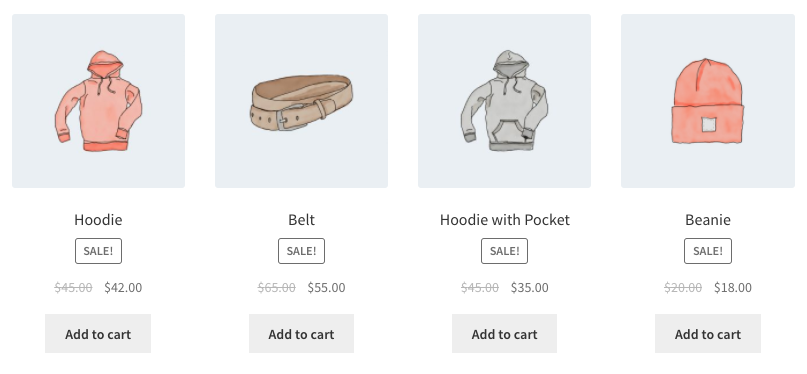
顯示四個隨機特價商品:
[products limit="4" columns="4" orderby="popularity" class="quick-sale" on_sale="true" ]
此 shortcode 明確指定四個商品及四欄(即一列),顯示最受歡迎的特價商品。同時新增 quick-sale CSS class,可使用自訂 CSS 設定目標並修改。
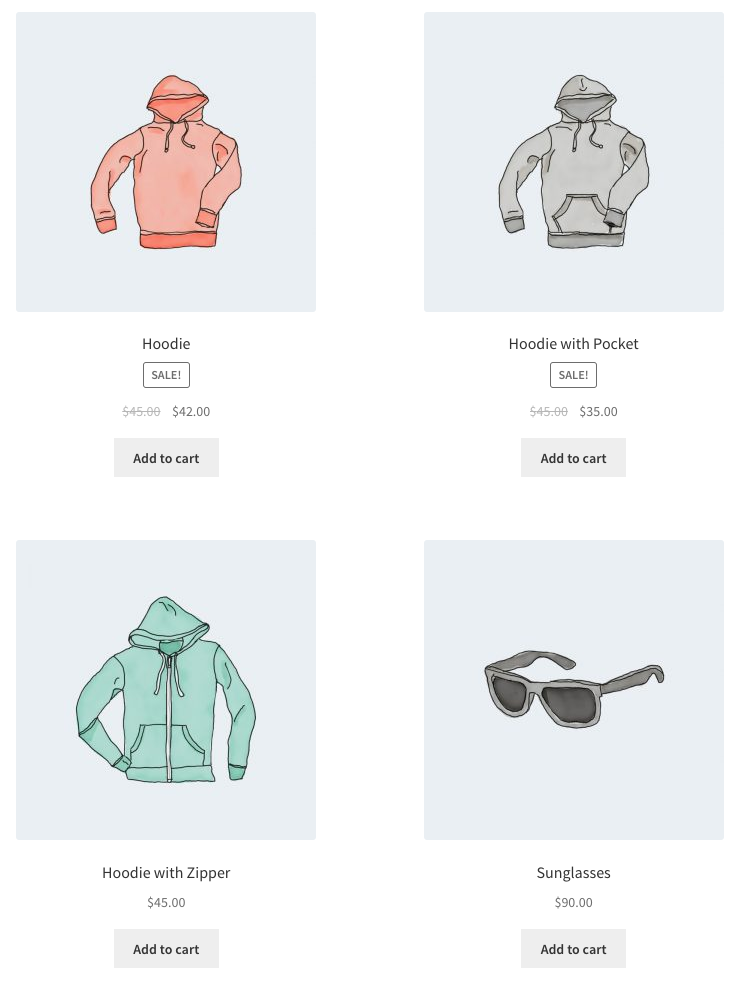
顯示精選商品,每列兩個,最多四項:
[products limit="4" columns="2" visibility="featured" ]
此 shortcode 指定最多載入四個商品,分兩欄,且必須為精選商品。未使用 orderby 屬性,故 shortcode 將以預設排序顯示商品(依選單順序,再依標題,未使用 order 時預設為 A 到 Z)。
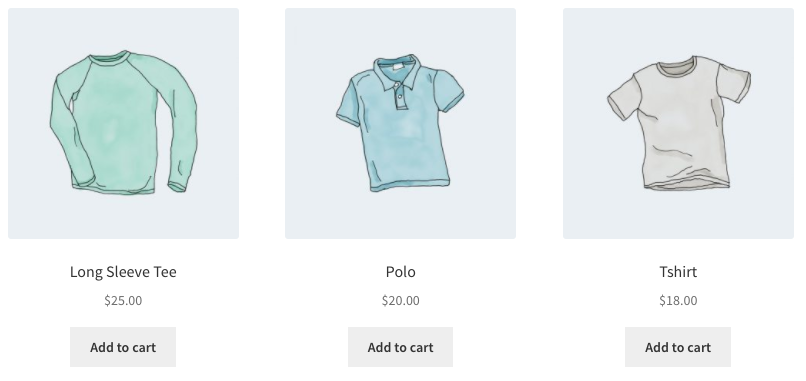
顯示三個最暢銷商品,排成一列:
[products limit="3" columns="3" best_selling="true" ]
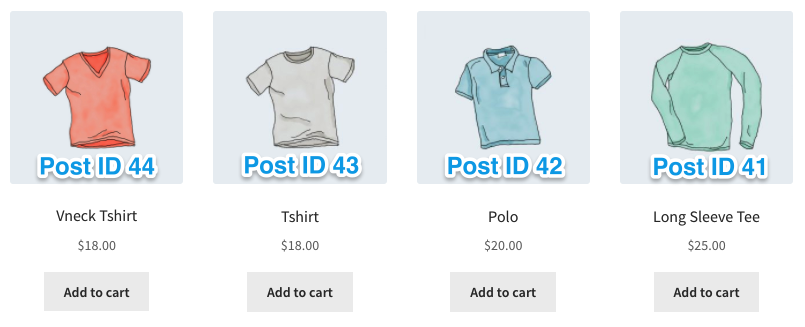
範例 4:最新商品
此範例將先顯示最新商品 — 一列四個商品。使用 Post ID(隨新文章遞增,於商品頁面建立時產生),搭配 order 及 orderby 指令。由於無法從前端看到 Post ID,ID 編號已疊加在圖片上。
[products limit="4" columns="4" orderby="id" order="DESC" visibility="visible"]
顯示連帽衫及 T 恤,但不包括配件。設定為兩列,每列四個:
[products limit="8" columns="4" category="hoodies, tshirts" cat_operator="AND"]
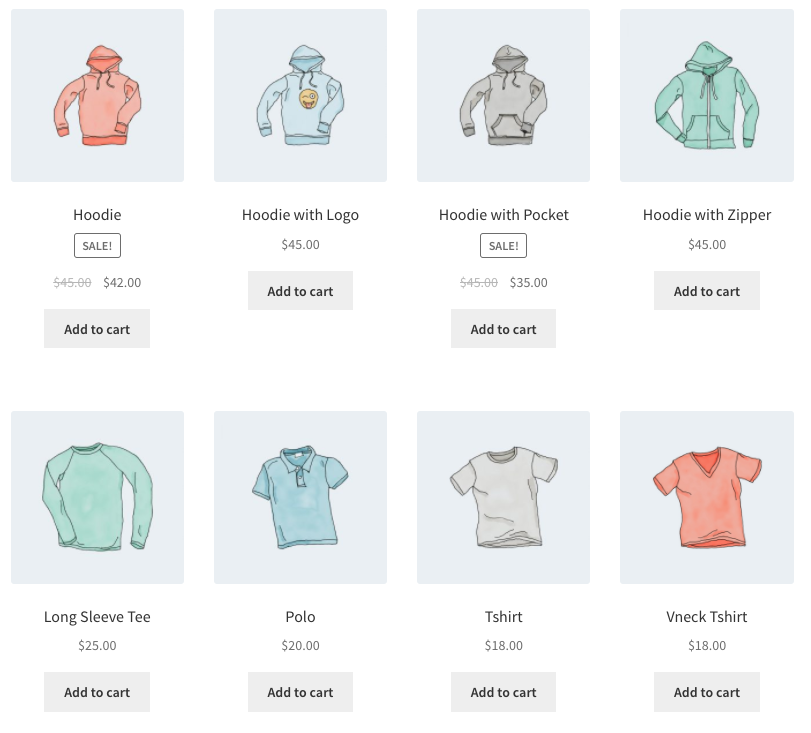
若僅想顯示不在這些分類中的商品,將 cat_operator 更新為 NOT IN。
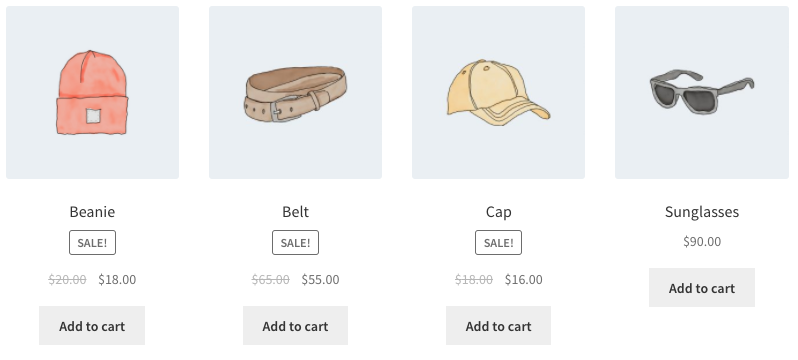
[products limit="8" columns="4" category="hoodies, tshirts" cat_operator="NOT IN"]
注意:即使 limit 設為 8,僅有四個符合條件的商品,故顯示四個商品。
每件服飾都有屬性 — 「春/夏」或「秋/冬」,依適當季節而定 — 部分配件兩者皆有,因可全年穿著。此範例每列三個商品,顯示所有「春/夏」商品。屬性 slug 為 season;屬性項目為 warm 及 cold。同時將商品依日期從新到舊排序。
[products columns="3" attribute="season" terms="warm" orderby="date"]
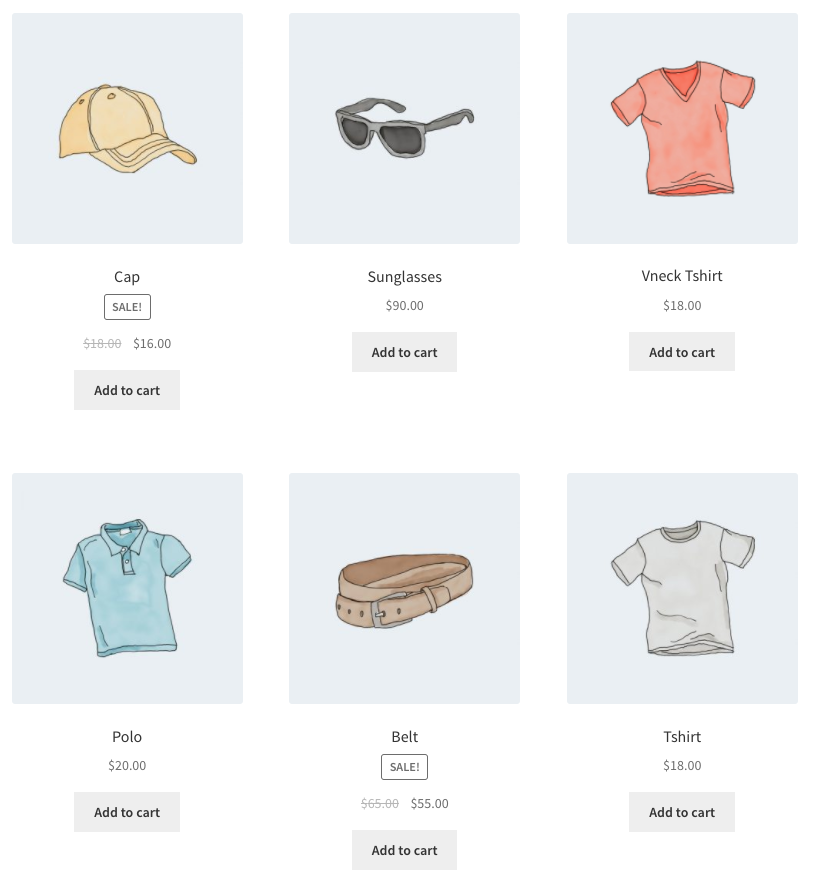
若想顯示除暖季商品外的所有商品,可將 NOT IN 加入為 terms_operator:
[products columns="3" attribute="season" terms="warm" terms_operator="NOT IN"]
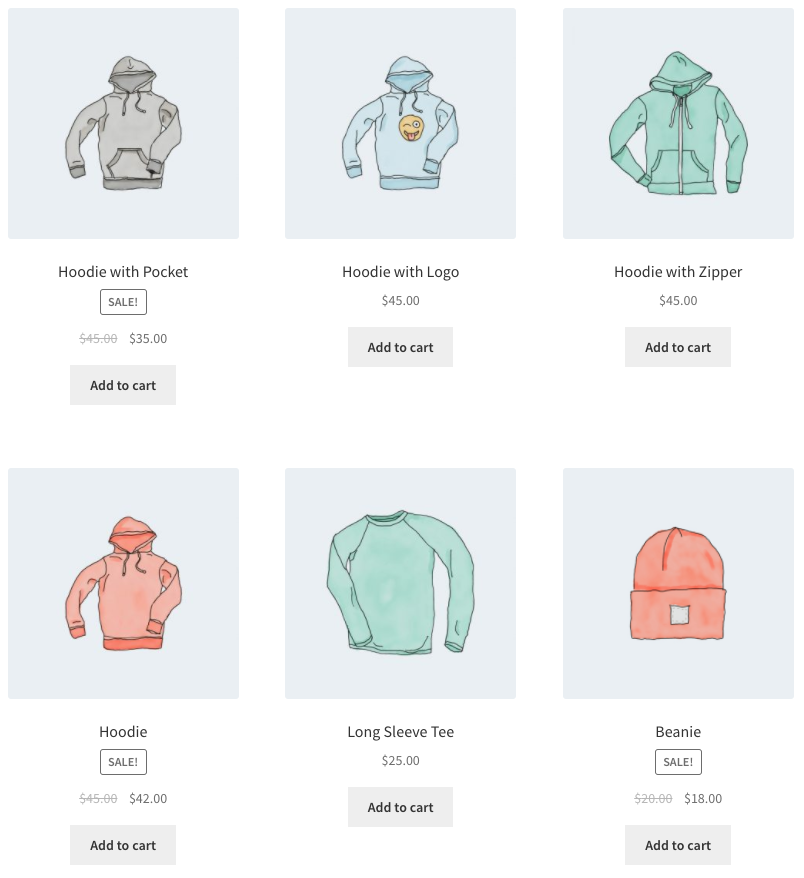
注意:使用 NOT IN 時,會排除同時在「春/夏」及「秋/冬」的商品。若想顯示所有適合寒冷天氣的裝備(包括這些共用配件),將項目從 warm 改為 cold。
[products tag="hoodie"]
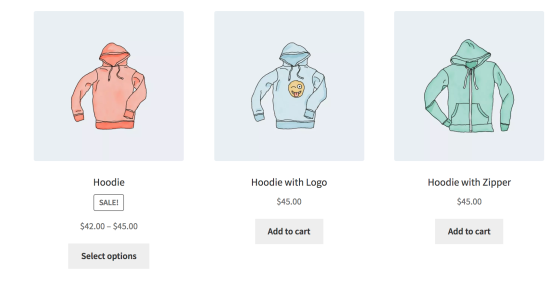
使用 [products] shortcode 時,可選擇依上方預定義值排序商品。也可使用以下程式碼依自訂中繼欄位排序商品(此範例依價格排序商品):
add_filter( 'woocommerce_shortcode_products_query', 'woocommerce_shortcode_products_orderby' );

function woocommerce_shortcode_products_orderby( $args ) {

    $standard_array = array('menu_order','title','date','rand','id');

    if( isset( $args['orderby'] ) && !in_array( $args['orderby'], $standard_array ) ) {
        $args['meta_key'] = $args['orderby'];
        $args['orderby']  = 'meta_value_num';
    }

    return $args;
}
將此程式碼片段放入佈景主題資料夾中的 functions.php 檔案,然後編輯 meta_key 進行客製化。