

搜尋 WooCommerce 網站資料庫
網站資料庫在哪裡儲存 WooCommerce 資訊?
在 WooCommerce 資料庫中,特定資料表會組織和儲存關鍵資訊。以下快速說明重要資料的位置:
- 訂單和訂單資訊:若您已啟用 HPOS(高效能訂單儲存),自訂訂單資料表會儲存訂單資訊。否則,訂單資訊會儲存在
wp_posts(用於訂單資料)和wp_postmeta(用於訂單詳細資訊,如項目價格、訂單狀態等)資料表中。 - 商品和變體:位於
wp_posts資料表(用於商品清單)和wp_postmeta(用於價格、SKU 和屬性等詳細資訊)。該資料表也會將變體儲存為獨立項目。 - 物流設定:通常位於
wp_options(用於一般物流設定)和wp_postmeta(用於特定訂單的物流詳細資訊)。 - 稅金設定:儲存在
wp_options,包含稅率、規則和其他配置。 - 顧客資訊:位於
wp_users(用於註冊使用者)和wp_usermeta(用於額外的使用者詳細資訊,如帳單和物流地址)。
某些 WooCommerce 擴充功能會建立額外的自訂文章類型或自訂資料表。詳細資訊請參閱您使用的擴充功能文件頁面。
在網站資料庫中尋找資訊
請注意,變更網站資料庫可能對整個網站產生重大影響。在進行任何資料庫變更前務必備份網站,若不確定請聯絡您的主機服務商尋求指導。
大多數主機服務商提供名為 phpMyAdmin 的工具來存取網站資料庫。不過,建議您向主機服務商確認他們提供哪些工具。
在此範例中,我們將在資料庫中搜尋商品。
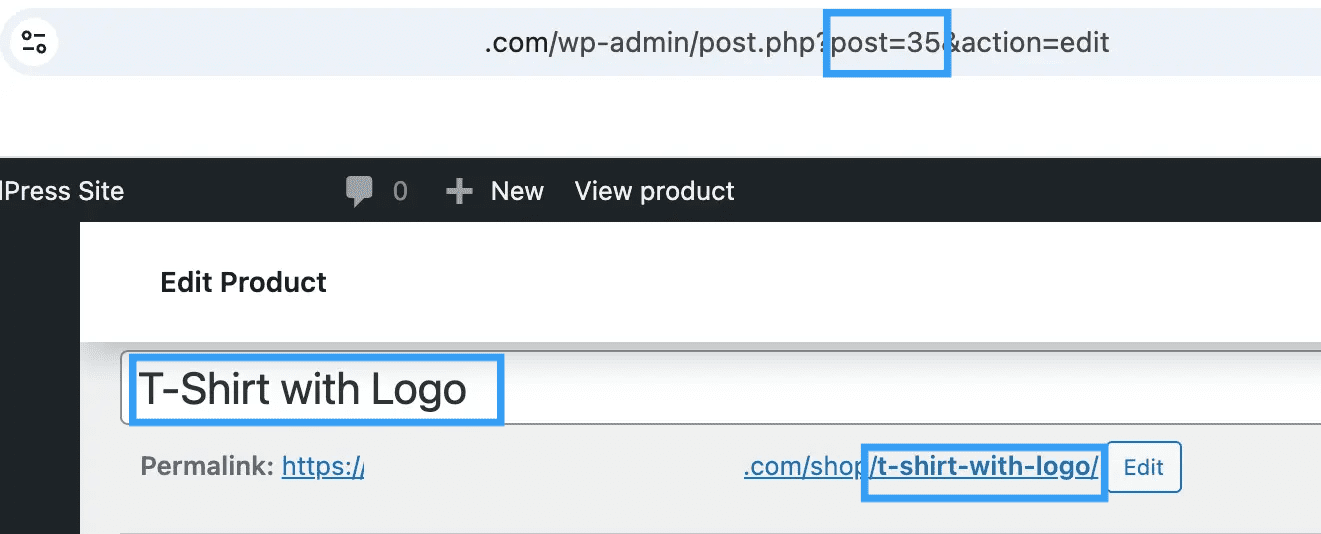
在以下範例中,商品「T-Shirt With Logo」的永久連結為 t-shirt-with-logo,瀏覽器網址列顯示商品的文章 ID 為 35。
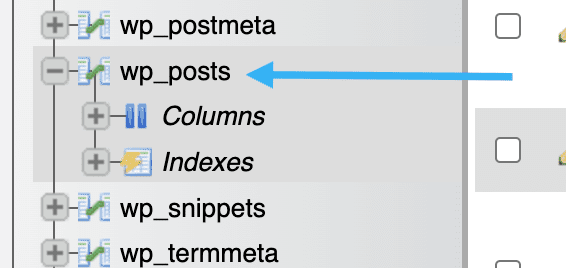
如前所述,商品儲存在資料庫的 wp_posts 資料表中。
- 存取網站資料庫後,找到
wp_posts資料表:
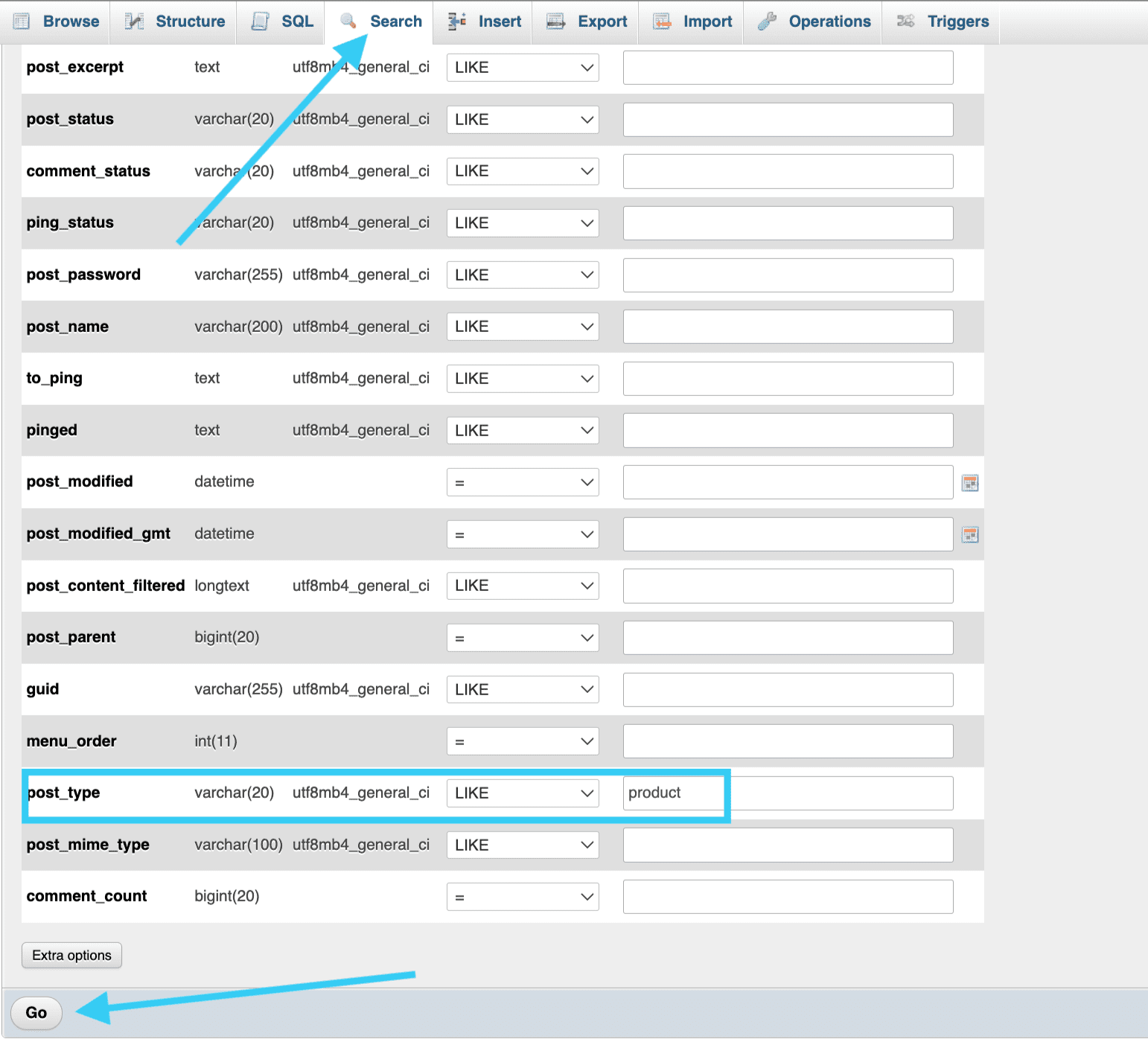
- 點選「搜尋」,在
post_type中輸入「product」並點選「執行」。這會將wp_posts中的列篩選為僅顯示商品。
- 接著可在「篩選列」方塊中輸入搜尋查詢。對於商品「T-shirt with logo」,搜尋詞「logo」會載入標題中包含該搜尋詞的商品。搜尋商品的文章 ID(35)或永久連結(「t-shirt-with-logo」)也會載入此商品。
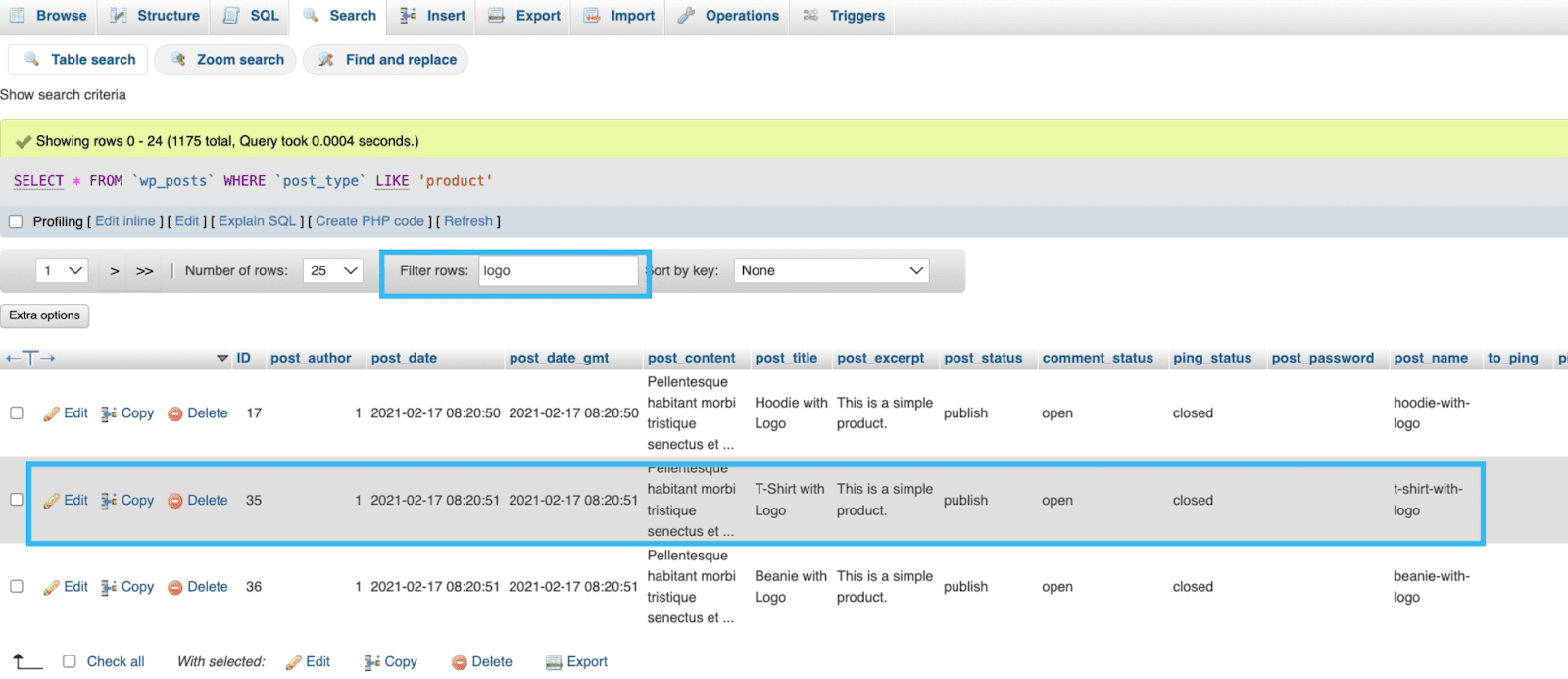
4. 找到您要尋找的商品後,即可直接在資料庫內進行編輯、複製或刪除。