

現金付款
使用 WooCommerce 行動應用程式的商家可透過讀卡機、Tap to Pay 或現金接受面對面付款。
How to enable cash payments
透過行動應用程式啟用現金付款:
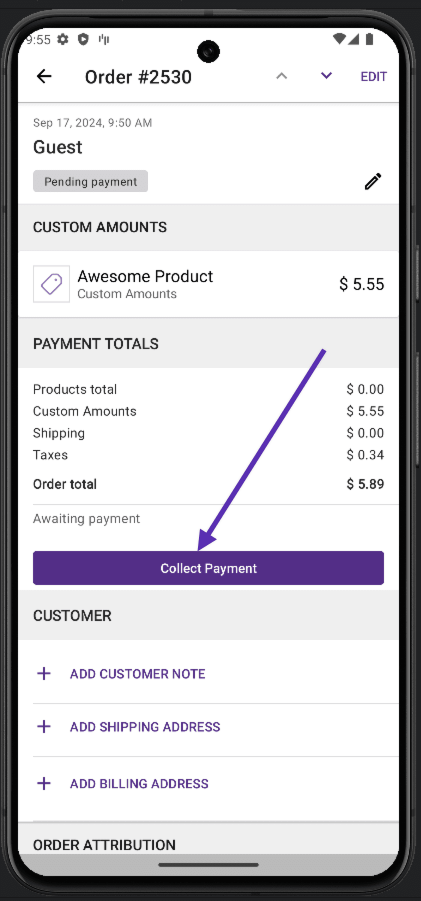
- 建立新訂單。
- 選擇商品或新增自訂金額。
- 點擊 收取付款。
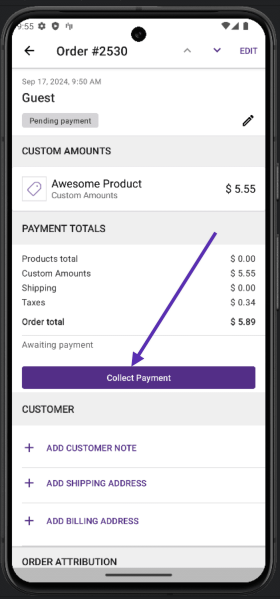
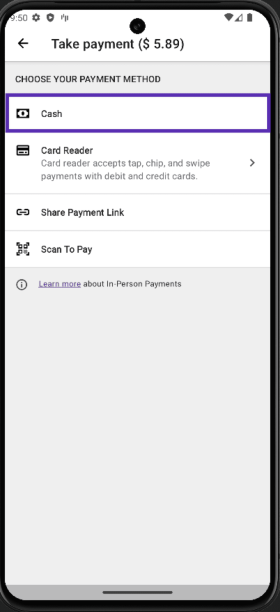
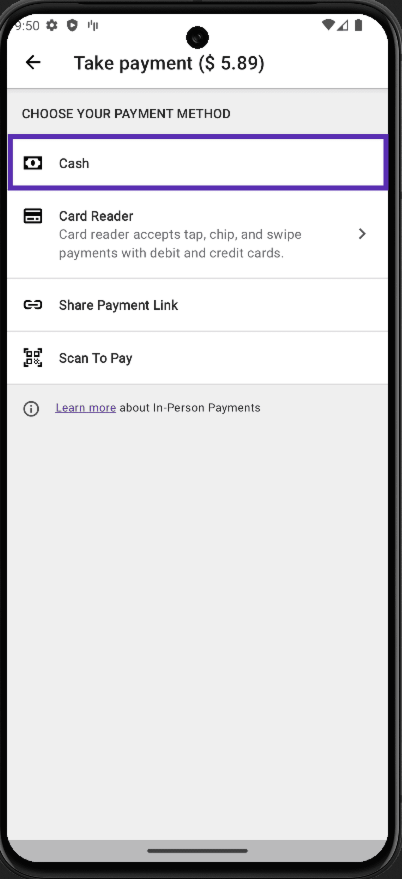
- 在下一個畫面,選擇 現金作為付款方式。
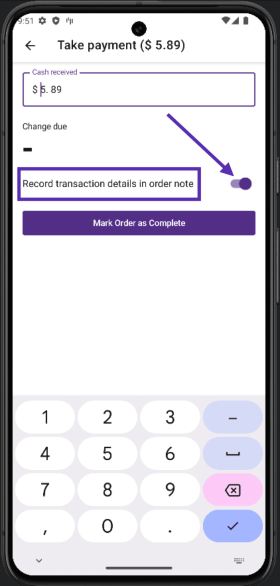
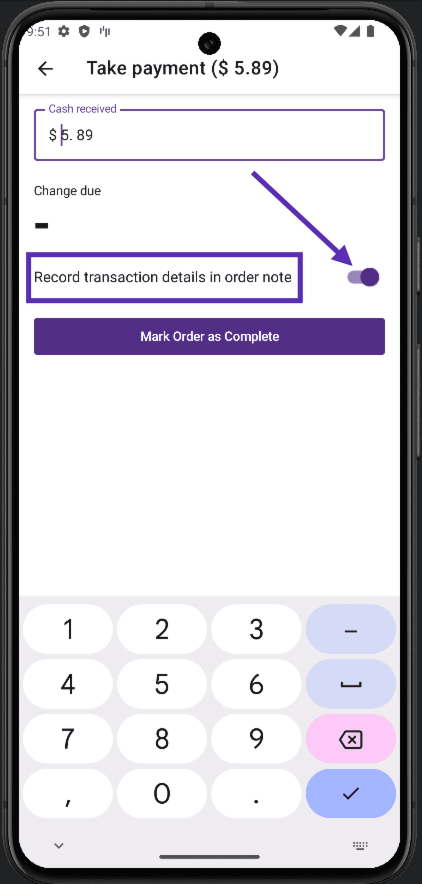
- 接下來,可以選擇編輯收費金額;這讓你可以新增費用或套用折扣。也可切換選項以在訂單備註中記錄付款方式:
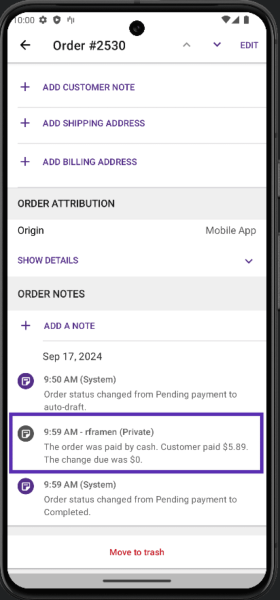
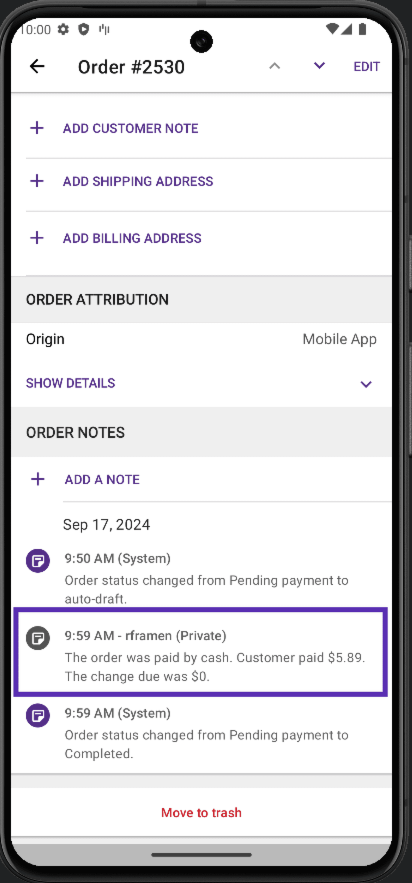
- 收到顧客現金付款後,點擊 標記訂單為完成按鈕,行動應用程式會建立訂單並將狀態變更為 完成。然後可以查看此訂單並檢查備註以查看使用的付款方式:
仍有問題?
如果使用 Jetpack 外掛將行動應用程式連接到網站,請確保 Jetpack 連接處於活動狀態且正常運作。查看常見問題或重新連接網站。
如果仍有困難,請從應用程式內聯繫支援: Menu > Settings > Help & Support > Contact Support。