

TapPay 線上刷卡 for WooCommerce - 設定說明
如需了解外掛安裝方式,請參閱外掛安裝方式。
TapPay 設定介面與選項
設定介面:
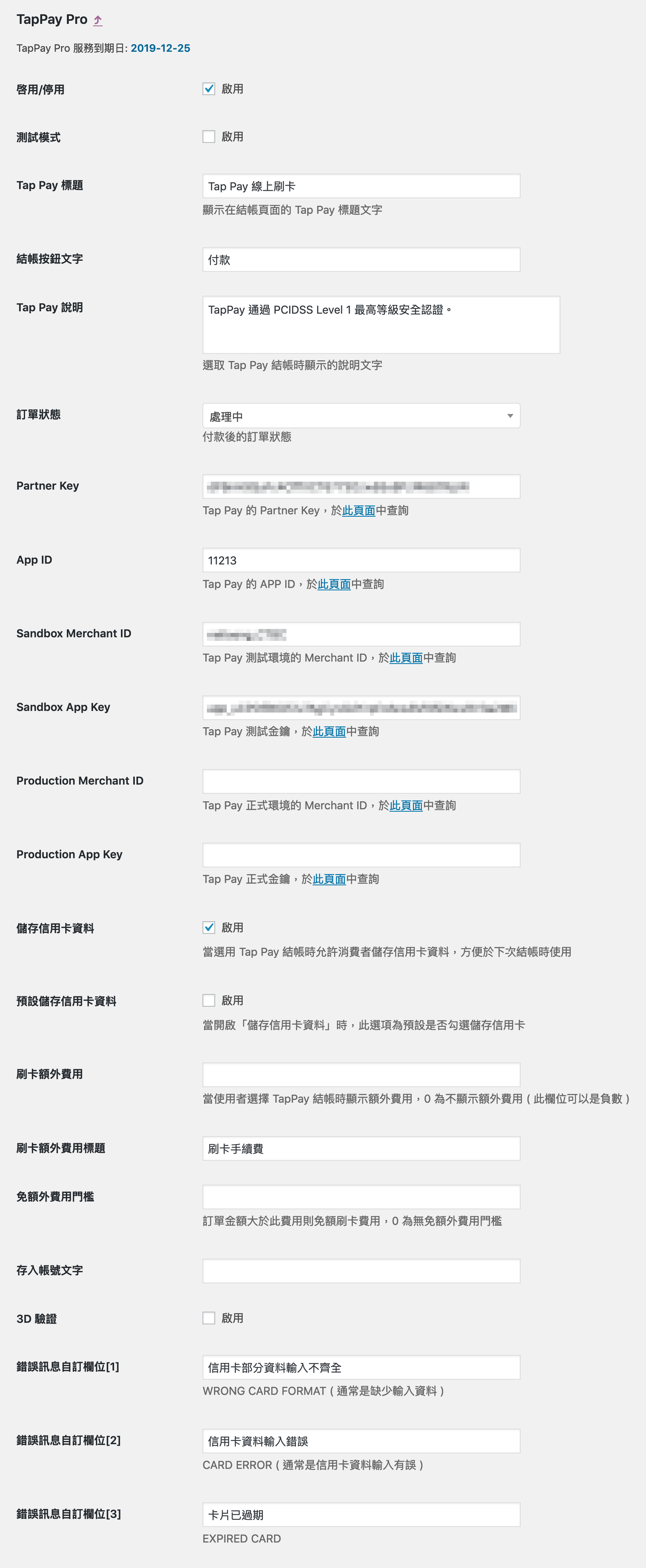
必填參數
需輸入 TapPay 提供的以下資料:
- Partner Key
- App ID
- Sandbox Merchant ID
- Sandbox App Key
- Production Merchant ID
- Production App Key
3D 驗證設定
重要警告:若需使用定期定額自動扣款時,請勿申請及使用 3D 驗證。
IP 限制設定
首次測試出現「TapPay: IP mismatch」時,需在 TapPay 後台設定:
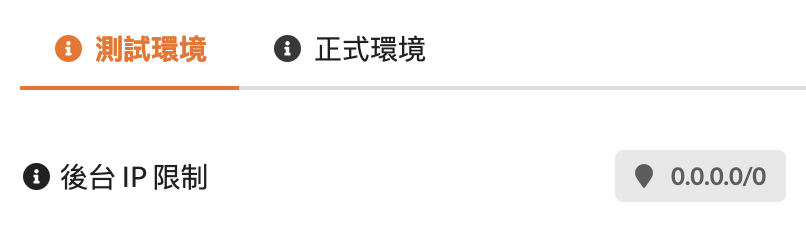
設定路徑:https://portal.tappaysdk.com/setting/environment/sandbox
IP 範圍設為:0.0.0.0/0
如需驗證網址,請參閱網址驗證說明。
如需協助,請參閱支援說明。